
Serving your cat a midday meal can be tricky when you’re at work—especially when feeding freeze-dried food means grinding, adding water, and preparing each portion by hand. The Neakasa Riko automatic wet food feeder simplifies this routine by grinding compatible freeze-dried food and mixing it with room-temperature water at feeding time. It also offers water-only dispensing and a food-only mode that serves ground freeze-dried food without added water. Whether you’re exploring Riko or setting it up for the first time, this guide covers compatible food choices, manual feeding, scheduled meals, and cleaning to help you build a consistent daily routine.
- Three feeding modes: Choose Mix, Water Only, or Food Only dispensing.
- Mix mode: Grinds compatible freeze-dried food and adds room-temperature water to prepare a rehydrated meal.
- Water Only mode: Dispenses water without adding food.
- Food Only mode: Grinds and dispenses dry food without adding water.
- Fresh-made at feeding time: Meals are rehydrated—not cooked, heated, or refrigerated.
- Food compatibility: Designed for freeze-dried food, not canned or pouch wet food.
What Is the Neakasa Riko Automatic Wet Food Feeder?
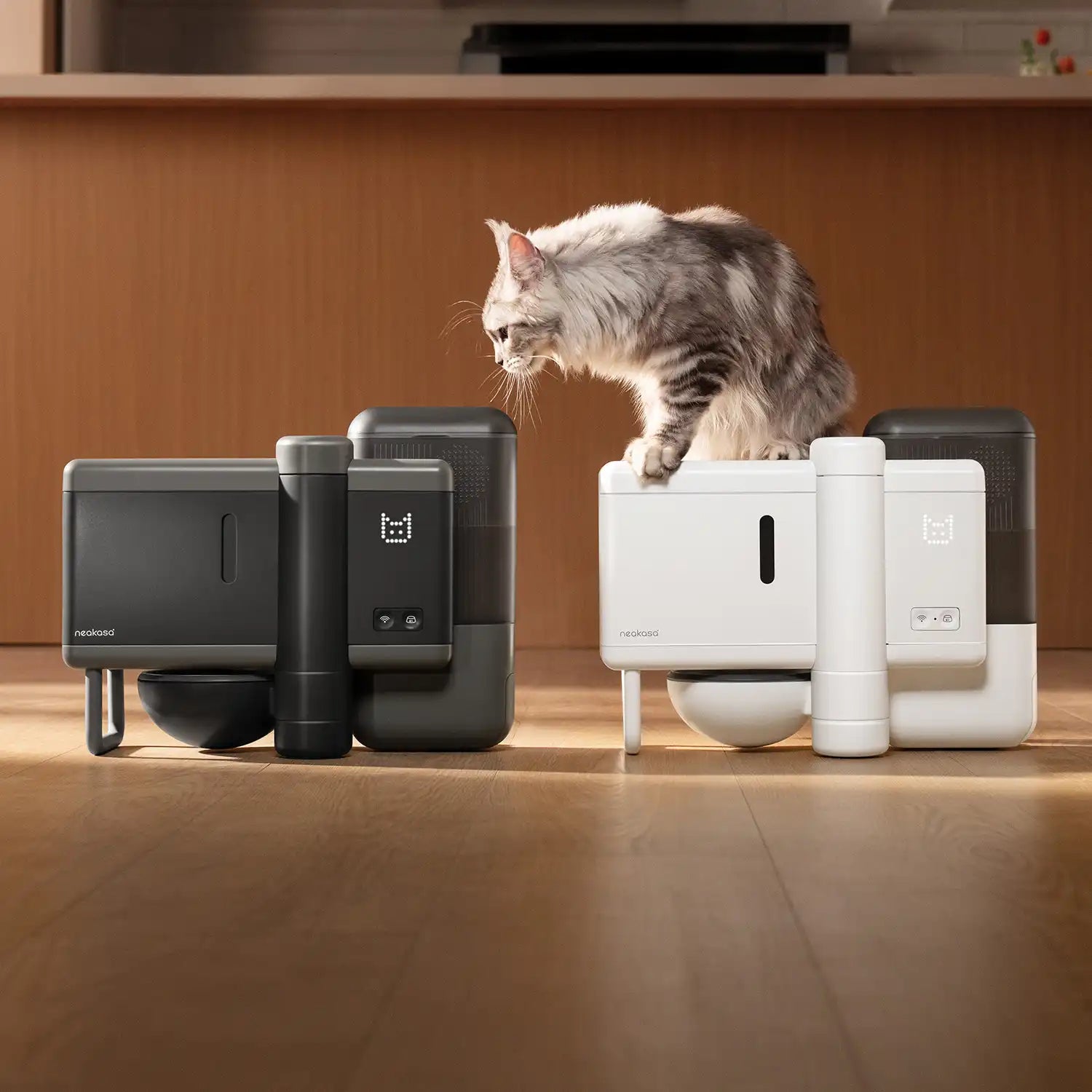
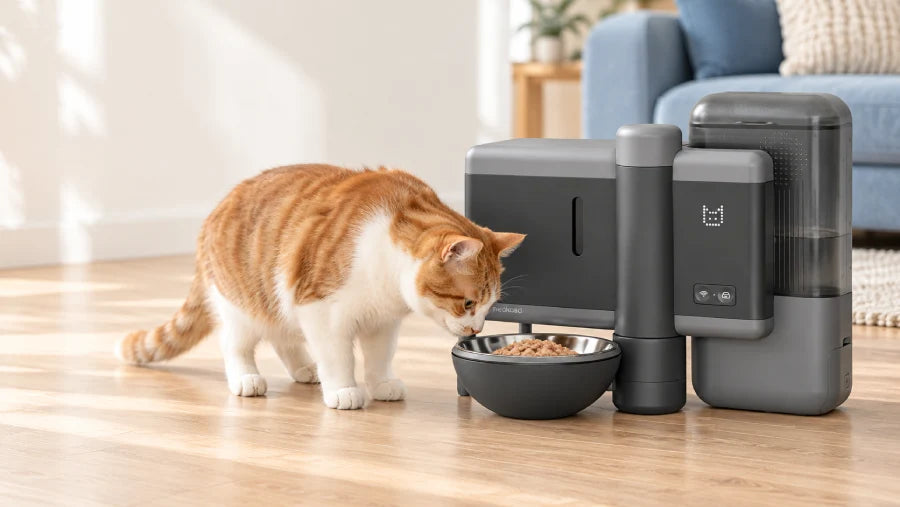
The Neakasa Riko is an automatic wet food feeder designed to turn compatible freeze-dried cat food into rehydrated meals at feeding time. It stores food dry, then grinds each portion and combines it with room-temperature water when a meal is needed.
For owners who regularly prepare freeze-dried meals by hand, this helps simplify daily feeding and maintain a consistent schedule during busy workdays. You can schedule meals in advance or use manual feeding when your routine changes. Mix, Food Only, and Water Only modes offer flexibility in what the feeder dispenses.
It’s suited to households using compatible freeze-dried food and looking to automate meal preparation while continuing to manage food choices, portions, and daily cleaning.
How Does Neakasa Riko Work?
Manual feeding on the Neakasa Riko automatic wet food feeder offers two options: Default Feeding Plan and Custom Feeding Plan. The default plan provides a preset meal you can personalize, while the custom plan lets you choose mixed, water-only, or food-only dispensing. Depending on the selected mode, you can adjust the freeze-dried food amount, food-to-water ratio, or water quantity.
Default Mode
When you open manual feeding in the app, the Default Feeding Plan is selected automatically. The initial recommended setting combines 5 g of freeze-dried food with 15 g of water, using a 1:3 food-to-water ratio.
You can also set your own default feeding plan to make your preferred settings easier to access. This preset is a convenient starting point; adjust it according to your cat’s feeding needs and the food manufacturer’s preparation instructions.

Mix Mode for Freshly Rehydrated Meals
Mix mode turns food into a rehydrated meal at feeding time. Here’s how to use it:
- Select Mix mode. Open the Custom Feeding Plan in the app and choose Mix.
- Set the food amount. Choose 3–15 g of compatible freeze-dried food for the serving.
- Choose the food-to-water ratio. Adjust the ratio from 1:1 to 1:5. For example, a 1:3 ratio pairs 5 g of food with 15 g of water.
- Start manual feeding. Riko grinds the freeze-dried food and adds room-temperature water according to your settings.
- Serve the rehydrated meal. Check the prepared food and observe your cat’s response, especially during the first few feedings.

This mode allows the automatic cat feeder to prepare wet meals from freeze-dried food without storing premade wet food. Choose a ratio that follows the food’s preparation guidance and suits your cat’s preferred texture.
Water Only Mode for Dispensing Water
To dispense water without food, select Water Only in the app’s Custom Feeding Plan. Set the water amount between 1 and 75 g, then start dispensing.

Riko releases water without dispensing or grinding any freeze-dried food. You do not need to empty the food container before using this mode.
Food Only Mode for Dispensing Ground Dry Food
Select Food Only in the Custom Feeding Plan when you want to dispense food without adding water. Choose a food amount between 3 and 15 g, then start manual feeding.

Riko still grinds the freeze-dried food before dispensing it; it simply skips the rehydration step. The output is ground freeze-dried food, not intact pieces.
| Mode | Grinds Freeze-Dried Food | Adds Water to Food | Output |
|---|---|---|---|
| Mix | Yes | Yes | Ground, rehydrated wet food |
| Water Only | No | No food is dispensed | Water only |
| Food Only | Yes | No | Ground freeze-dried food |
💡 Note: The estimated time shown in the app may differ from the actual preparation time by approximately one minute, depending on the size and hardness of the freeze-dried pieces.
What Food Can You Use with Neakasa Riko?
Neakasa Riko is designed for compatible freeze-dried food. Choosing the right food helps support grinding, dispensing, and rehydration. Food Only mode follows the same compatibility requirements—skipping water does not change which foods the feeder is designed to process.
Choose Compatible Complete and Balanced Freeze-Dried Food
If Riko will provide your cat’s main meals, choose freeze-dried cat food labeled “complete and balanced” for your cat’s life stage. Freeze-dried treats, toppers, and foods intended for supplemental feeding should not replace a complete daily diet.
Check both Riko’s compatibility requirements and the food manufacturer’s preparation instructions before use.
Check Food Size and Preparation Guidance
Piece size matters for feeding food through the mechanism. For best compatibility, individual pieces should be no larger than 15 × 15 × 25 mm (about 0.6 × 0.6 × 1.0 in).

How to Set Up Your Riko for the First Time
Before your first feeding, follow these steps to prepare your Neakasa Riko automatic wet food feeder. Keep the user manual nearby for assembly instructions and cleaning guidance.
Step 1: Choose a stable feeding spot.
Place Riko on a flat, stable surface where your cat can comfortably reach the bowl. Choose a quiet, accessible area so your cat can explore the feeder at their own pace.
Step 2: Prepare and assemble the feeder.
Clean the washable components identified in the user manual, let them dry completely, and install them as directed. Do not immerse the main unit in water.


Step 3: Add compatible food and drinking water.
For mixed feeding, fill the food container with compatible freeze-dried food and add fresh drinking water to the water tank. Follow the manual’s filling limits.


💡 Note:
- Freeze-dried food pieces should be no larger than 15 × 25 mm.
- Water temperature should not exceed 60°C.
- Do not fill the water tank above the marked MAX fill line.
Step 4: Connect the Neakasa app.
Before pairing, enable
- Bluetooth and Location Services on your phone.
- On iOS, also enable Precise Location for the app.
- Select a 2.4 GHz Wi-Fi network.
Then follow the in-app instructions and confirm that the feeder is connected.If pairing fails, check these permissions and your network settings.
Step 5: Run a supervised manual feeding.
Select the Default Feeding Plan or create a custom plan. Start a serving while you are present to observe dispensing.
Step 6: Check the meal and your cat’s response.
Inspect the ground food and, for mix mode, the rehydrated texture. Let your cat approach voluntarily and observe how comfortably they eat.
💡Wi-Fi tip: Network names do not always indicate the frequency band. If you are unsure, check your router settings to confirm that 2.4 GHz is enabled.
How to Plan Portions and Scheduled Meals
Start with your cat’s total daily food allowance, then divide it into individual meals. Use the food manufacturer’s feeding guidance as a starting point, adjusting for your cat’s age, weight, activity level, and individual needs. Scheduled feeding helps maintain a routine, while manual feeding lets you serve a meal when needed.
Set the Daily Food Amount Before Dividing Meals
The freeze-dried food weight you select in the app is different from the total weight after adding water. For example, 5 g of freeze-dried food plus 15 g of water produces approximately 20 g of prepared food, but the food portion remains 5 g. Adding water changes the meal’s weight and texture without adding calories.
This example explains the measurement—it is not a recommended daily allowance or a fixed serving size. Count scheduled meals, manual servings, and any other food toward your cat’s daily total.
Build a Schedule Around Your Day
A morning meal before work, a scheduled midday serving, and an evening meal illustrate how an automatic wet food feeder can fit into your routine. Adjust the timing and number of meals to your cat rather than following the same schedule for every household.
Set planned meals through the app’s scheduling function, and use manual feeding for individual servings as needed. Check the options available within scheduled feeding rather than assuming they match the manual feeding settings.
For more guidance, explore our guide to how often and how much to feed your cat.
Adjust Texture Gradually
In Mix mode, adjust the freeze-dried food-to-water ratio gradually, staying within the food manufacturer’s rehydration instructions. Observe whether your cat comfortably eats the resulting texture before making further changes.
Keep the three dispensing options distinct when choosing your settings:
- Mix: Ground freeze-dried food combined with water.
- Water Only: Water dispensed without food.
- Food Only: Ground freeze-dried food dispensed without added water.
Food Only mode does not override a food’s preparation requirements. If the manufacturer requires rehydration, add water as directed before serving.
How to Help Your Cat Get Used to Riko
Start by preparing a small portion of food by hand, following the food manufacturer’s rehydration instructions. Offer it in a familiar bowl so your cat can explore the flavor and texture before you introduce the feeder.
Place Riko in a quiet, familiar feeding area and let your cat investigate at their own pace. During the first few feedings, stay nearby as the machine grinds and dispenses food. Give your cat space to approach voluntarily rather than bringing them directly to the bowl.
Keep other parts of the routine consistent, including the recipe and feeding location. Avoid introducing a new food, unfamiliar texture, and different feeding environment all at once. Adjust gradually based on your cat’s response.
How to Clean and Maintain Your Riko
Regular cleaning and supply checks help keep your Neakasa Riko automatic wet food feeder ready for daily use. Follow the user manual for component-specific cleaning methods, drying requirements, and reassembly instructions.
Check the Bowl and Leftover Food
Inspect the bowl after meals and remove uneaten food promptly according to the food manufacturer’s guidance. Clean the bowl regularly, and check the stored food and drinking water for changes in appearance or smell. Refill or replace supplies as needed rather than simply topping them up indefinitely.
Clean Removable Parts Carefully
Before disassembly, follow the manual’s shutdown and power-disconnection instructions. Remove only the components identified as detachable, and wash only those approved for washing. Let cleaned parts dry as directed before reinstalling them, paying particular attention to components that contact stored freeze-dried food.
Clean the main unit separately using the method specified in the manual. Do not immerse it in water or assume removable parts are dishwasher-safe.
Keep Stored Food Dry
Check the food container’s seal and desiccant condition regularly. Keep the storage area dry, close the lid securely, and follow the desiccant replacement reminder together with the manual’s instructions.
How to Use the App for Everyday Feeding
The Neakasa app lets you customize how Riko prepares meals, responds to leftovers, and reminds you about maintenance. Here’s what each setting does and how to use it.
Meal Freshness
Meal Freshness is off by default, and we recommend enabling it. The default leftover threshold is 20 g, which you can adjust in the app.
When enabled, Riko checks the food remaining in the bowl and responds as follows:
- Before a scheduled meal: If leftovers exceed your threshold, Riko skips the meal and reports that dispensing failed because too much food remains.
- One hour after dispensing: If leftovers still exceed the threshold, Riko automatically adds 10 g of water to help moisten the food. The bowl’s movement may also encourage your cat to return.
- Four hours after dispensing: If leftovers exceed the threshold, Riko retracts the bowl to prevent access to food that may have spoiled.
To resume feeding, extend the bowl through the app or by holding the feeding button for three seconds. Discard the leftovers and clean the bowl before starting a fresh manual serving. Scheduled meals will continue checking the remaining food against your threshold.
This feature does not detect spoilage or guarantee food safety. Adding water does not make spoiled food safe; check leftovers regularly and follow the food manufacturer’s handling instructions.

Rehydration Time
Riko’s default and recommended rehydration time is five minutes. You can adjust it from 0 to 10 minutes, following your compatible freeze-dried food’s preparation instructions and checking the resulting texture.

This adjustment applies only to manual feeding. For scheduled meals, Riko calculates preparation timing automatically to serve food at the planned time.
Sound Settings
Riko includes a default sound that plays when a meal is served. You can personalize it by recording your own audio or uploading a local audio file, such as a familiar mealtime call.

Screen Display
The screen displays a clock by default. In the app, you can choose the time display, a default graphic, or a personalized display. You can also switch the screen off to suit the feeder’s location and your household preferences.

Desiccant
The recommended desiccant replacement interval is 40 days, although its lifespan varies with humidity and other environmental conditions. Check its condition regularly and adjust the reminder interval to reflect your actual usage and the product instructions.

Cleaning Reminders
Set reminders for water tank cleaning and food container cleaning to help maintain a regular care routine. Follow the user manual for cleaning and drying each component, and continue checking the bowl and leftovers separately.

Together, these settings make Riko easier to adapt to your cat and your home. Combine them with regular food, water, and cleaning checks to keep your daily feeding routine on track.
Frequently Asked Questions About Neakasa Riko
Can Riko dispense water without food?
Yes. Select Water Only in the app’s Custom Feeding Plan and choose a water amount between 1 and 75 g. Riko dispenses water without adding food, and you do not need to empty the food container first.
Does Food Only mode still grind the food?
Yes. Food Only mode grinds compatible freeze-dried food before dispensing it, but does not add water. The output is ground freeze-dried food rather than whole pieces. If the food requires rehydration, follow its preparation instructions before serving.
Can I change the default manual feeding plan?
Yes. The initial default combines 5 g of freeze-dried food with 15 g of water, a 1:3 food-to-water ratio. You can save your own default plan based on your cat’s feeding needs and the food manufacturer’s preparation guidance.
Why does the actual preparation time differ from the estimate?
Freeze-dried pieces vary in size and hardness, which can affect how long Riko takes to process them. Actual preparation time may differ from the app’s estimate by approximately one minute, so treat the displayed time as a guide.
Why can’t I connect Riko to the app?
First, check that Bluetooth and Location Services are enabled on your phone. On iOS, enable Precise Location for the Neakasa app too. Confirm that you are connecting to a 2.4 GHz Wi-Fi network, then follow the pairing instructions again.
How far back can I view feeding records in the app?
You can view the past 30 days of feeding records. Tap the Calendar button to see feeding details for a particular day. The number displayed on each calendar date indicates how many times your cat ate that day.
What if my cat is hesitant to eat from Riko?
Start with a small, manually rehydrated portion of compatible freeze-dried food in a familiar bowl. Gradually introduce Riko’s presence, sounds, and dispensing process while staying nearby. Keep the recipe, texture, and feeding location consistent rather than changing everything at once.
Getting Started with Your Riko Feeder
Start with compatible, complete and balanced freeze-dried food, then choose the right Riko mode: Mixed for rehydrated meals, Water Only for water dispensing, or Food Only for ground freeze-dried food without added water.
Set portions around your cat’s daily food allowance, follow the food’s preparation instructions, and schedule meals to suit your routine. Introduce the feeder gradually, check supplies regularly, and keep the bowl and removable components clean.
Ready to simplify everyday feeding? Shop Neakasa Riko and bring freshly prepared, scheduled meals into your cat’s day—with less hands-on preparation for you.

- Fresh-Made Meals with Automatic Grinding and Rehydration
- Adjustable Water-to-Food Ratio for Tailored Hydration
- Sealed Storage to Keep Freeze-Dried Food Fresh and Dry
- App-Controlled Portions, Feeding Schedules, and Smart Alerts

Leave a comment
All comments are moderated before being published.
This site is protected by hCaptcha and the hCaptcha Privacy Policy and Terms of Service apply.